

How to use the Clone Stamp tool
The Clone Stamp tool paints an exact copy of one part of the picture onto another. Use it to cover something up or to repeat a detail.
Where to find it
It has its own button in the toolbar. Press S to pick it.
How to use it
- Choose the tool. Press S, or click the stamp in the toolbar.
- Set the source. Alt-click (Option-click on a Mac) the area you want to copy from.
- Paint where it should go. Drag over the spot to cover. A cross shows where the copy is coming from as you paint.
- Change the source often. Alt-click a new source every few strokes so no pattern repeats.
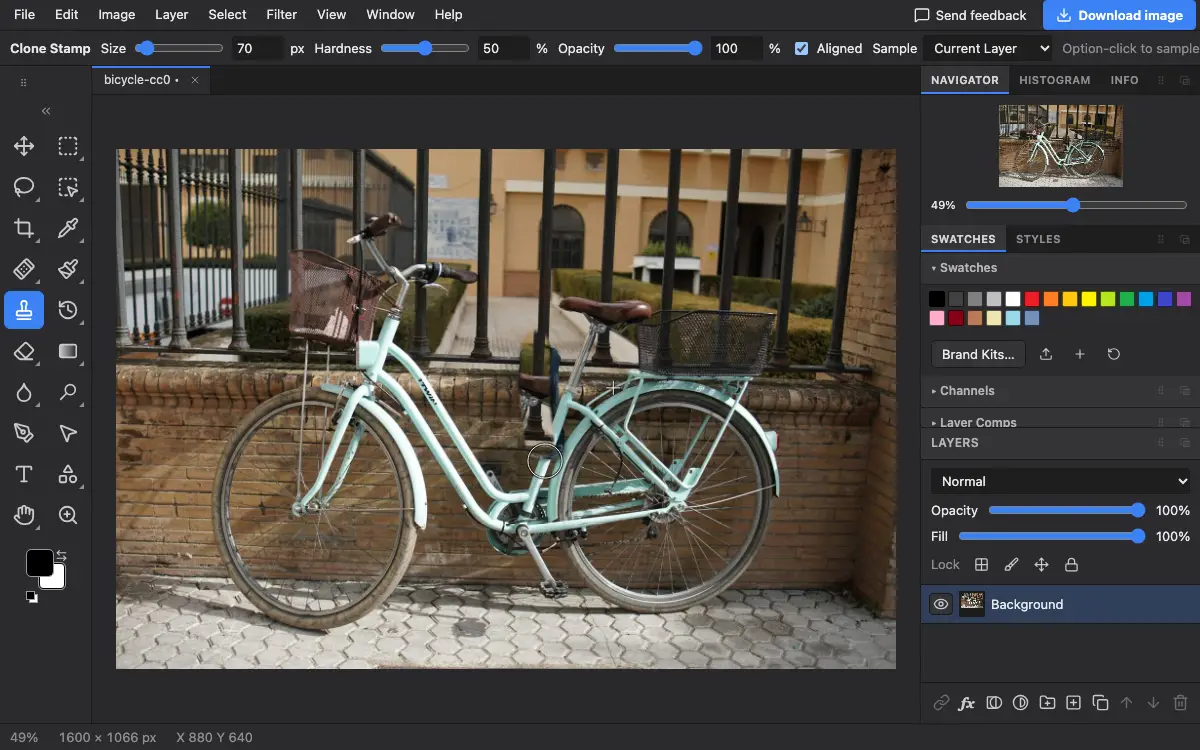
Options bar settings
Tips and common mistakes
- Unlike the Healing Brush, the Clone Stamp does not blend colour, so it is better along hard edges and straight lines.
- Choose All Layers and clone onto a new empty layer, so you can erase a mistake without touching the photo.
Questions
Why does the Clone Stamp paint nothing?
No source is set yet. Alt-click (Option-click on a Mac) the area to copy first, then paint.
Related
Photostar is a free online Photoshop alternative that runs in your browser. There is no account to make, and your files stay on your device.
Checked in the current editor.