

File reference
Which files can I open and save?
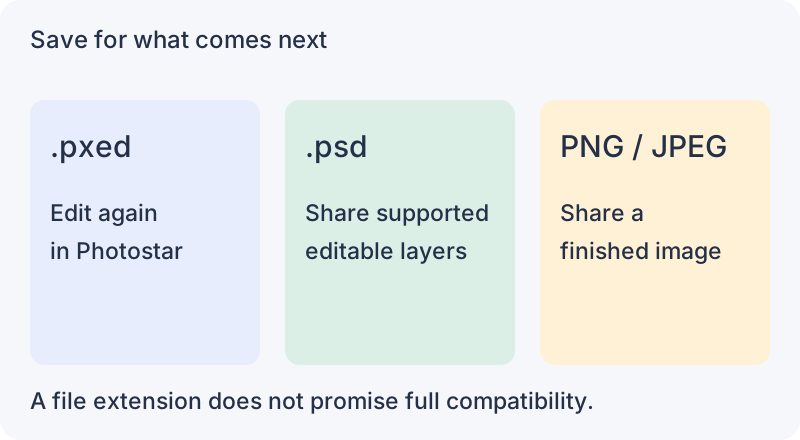
Use a .pxed project to continue editing in Photostar. Choose PSD to share supported layers, or export an image for the finished result.
Files you can open
| File | What to expect |
|---|---|
| Photostar .pxed | Layers and editing data saved by Photostar. Download a copy; browser autosaves are not a backup. |
| PSD | Supported layers, text, shapes, masks and adjustments. Complex files can differ. See the PSD guide. |
| PNG, JPEG, WebP, BMP, AVIF | Open as pictures. Some variants depend on browser support. |
| GIF | Still images and supported animated GIFs. GIF uses a limited colour palette. |
| TIFF | Supported 8-bit and 16-bit images. Compression and colour settings can affect compatibility. |
| HEIC / HEIF | Supported photos open on your device. Some variants are not supported. |
| SVG | Shapes open as editable shape layers, groups as layer groups and simple one-line text as type. Gradient fills become a Gradient Overlay. Pictures, patterns, filters and other effects open as pixel layers, so the rest stays editable. |
| PDF / AI | PDF pages open as pictures at your chosen resolution. AI needs an embedded PDF-compatible copy; original vector editing is not preserved. |
| DNG and camera RAW | Supported CR2, NEF, NRW, ARW, SR2, PEF, ORF, RW2 and RAF files develop locally. Support varies by camera and compression. |
| GIMP XCF | Pixel layers, groups, masks, opacity and most blend modes open separately, also from .xcf.gz. Text and vector layers open as pixels, and modes with no Photoshop match open as Normal with a note. |
| ORA, KRA, PDN, Affinity | Supported pixel layers and groups can open separately. Unsupported content may use a merged preview; check the message shown when the file opens. |
| Other image formats | Supported TGA, PBM, PGM, PPM, PNM, PAM, PCX, EXR and DDS variants. An extension alone does not guarantee support. |
What can I save or export?
- Project: File → Save downloads a .pxed file for your next Photostar session.
- Layered PSD: File → Save as PSD keeps supported layers. Check the exported file in the receiving editor.
- PNG, JPEG, WebP, GIF, TIFF, BMP, TGA or ICO: File → Export As combines the visible result. PNG, WebP, BMP, TGA and ICO can keep transparency; JPEG cannot. PNG and TIFF offer 16-bit output. ICO holds square icon sizes from 16 to 256 px, ready for a website favicon.
- SVG or PDF: use their separate File export commands. Some content becomes pixels; this does not preserve every original vector or text feature.
Photostar does not save edits back as RAW, HEIC, KRA or Affinity files. Save a project first, then export the format you need.
For a first edit, follow the photo editing guide. For transparent output, see background removal.
Reviewed . Opening and exporting happen on your device.