

How to use the Parametric Shape tool
The Parametric Shape tool draws shapes defined by numbers: rectangles with a different radius on each corner, rounded polygons and stars.
Where to find it
It is in the toolbar, in one slot with Shape. Right-click the slot, or press and hold it, to choose between them. Press Shift+U until it is selected (U on its own picks Shape).
How to use it
- Choose the tool. Right-click the shapes slot in the toolbar and pick Parametric Shape, or press Shift+U past the last shape.
- Pick a shape. Choose Rectangle, Ellipse, Polygon or Star.
- Set the numbers. For a rectangle, set each corner radius; for a polygon or star, the sides and corner radius.
- Drag. Drag on the canvas. Shift keeps the proportions even; Alt draws from the centre.
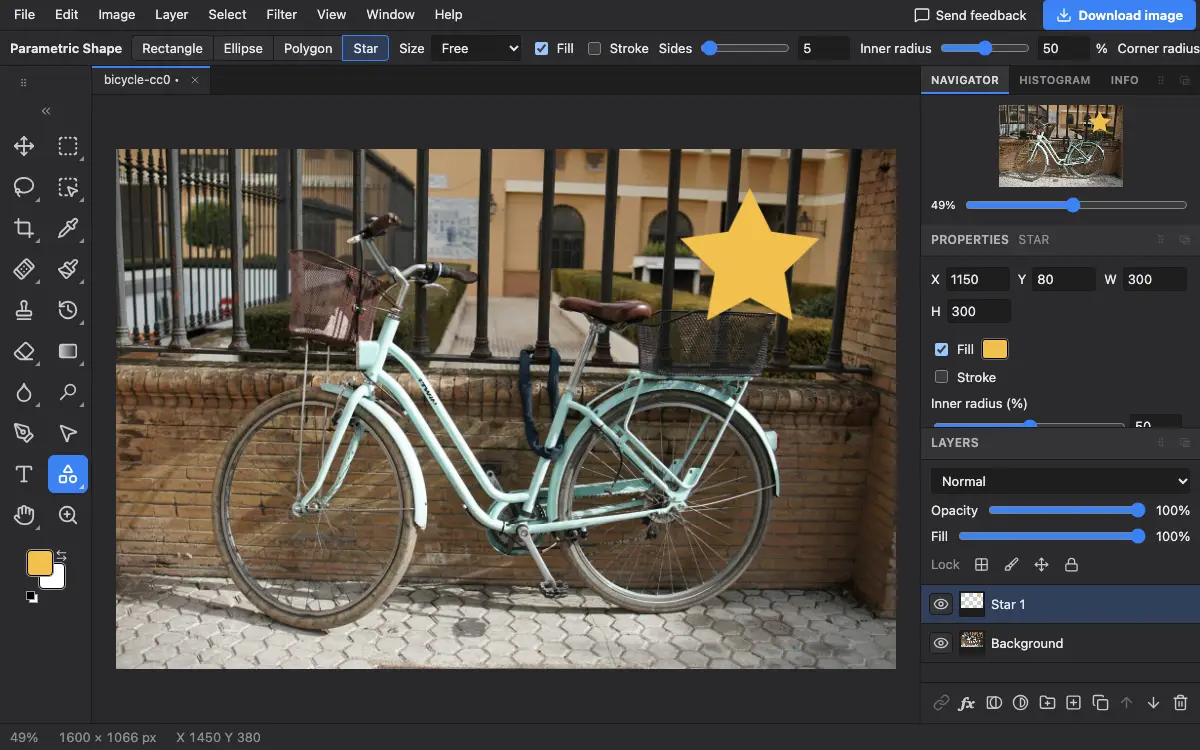
Options bar settings
Tips and common mistakes
- A star with a high Inner radius and many sides makes a badge or seal shape.
- Use Fixed size when you need several identical shapes.
Related
Photostar is a free online Photoshop alternative that runs in your browser. There is no account to make, and your files stay on your device.
Checked in the current editor.