

How to use the Magnetic Lasso tool
The Magnetic Lasso tool snaps its line to the nearest strong edge as you move along it, so you can select an object with a clear outline without tracing it exactly.
Where to find it
It is in the toolbar, in one slot with Lasso and Polygonal Lasso. Right-click the slot, or press and hold it, to choose between them. Press Shift+L until it is selected (L on its own picks Lasso).
How to use it
- Choose the tool. Press Shift+L until it is selected, or right-click the lasso slot and pick Magnetic Lasso.
- Click on the edge. Click once on the edge of the object to start.
- Move along the edge. Move the pointer along the outline without holding the button. The line hugs the edge and drops anchor points as it goes.
- Help it at corners. Click to drop your own anchor where the edge turns sharply. Backspace removes the last anchor.
- Close it. Click the start point, double-click, or press Enter. Esc cancels.
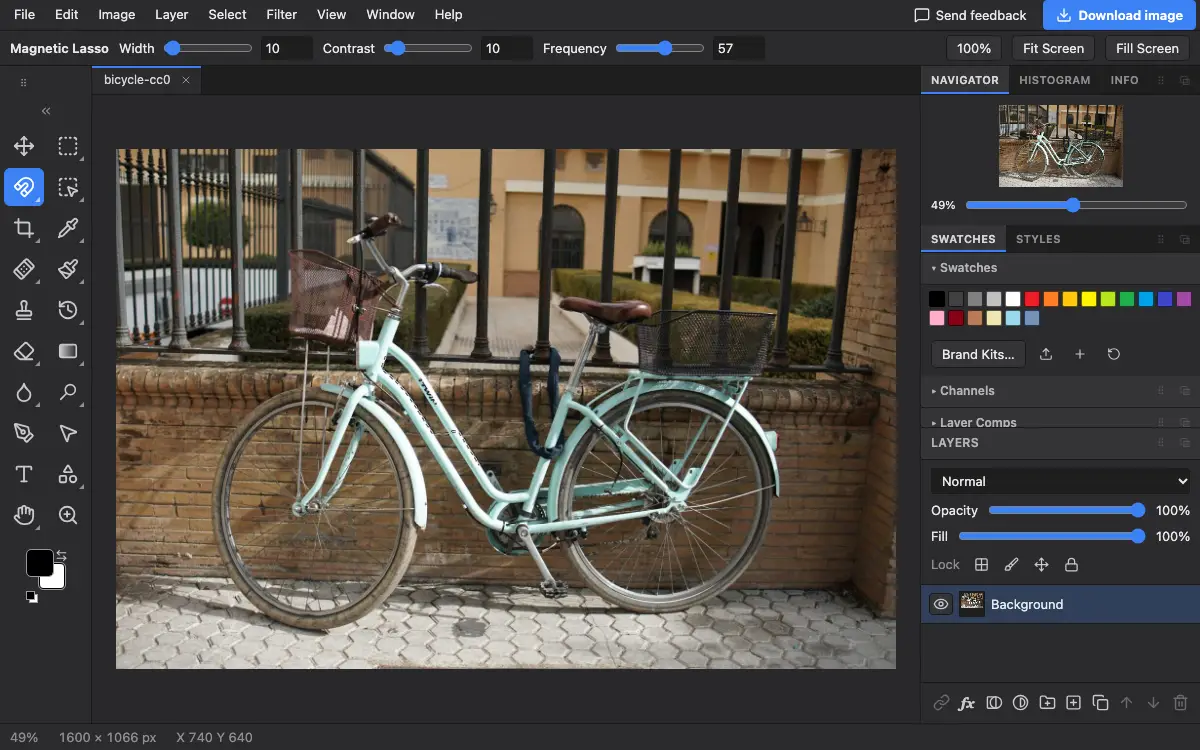
Options bar settings
Tips and common mistakes
- The options bar has no New or Add buttons for this tool, but the keys still work: hold Shift at the first click to add, Alt to subtract.
- It works best on edges with clear contrast. On soft or busy edges, Quick Selection or Object Selection is usually faster.
Related
Photostar is a free online Photoshop alternative that runs in your browser. There is no account to make, and your files stay on your device.
Checked in the current editor.