

How to use the Lasso tool
The Lasso tool makes a freehand selection: you draw around something with the mouse, pen or finger, and the outline closes when you let go.
Where to find it
It is in the toolbar, in one slot with Polygonal Lasso and Magnetic Lasso. Right-click the slot, or press and hold it, to choose between them. Press L to pick it, and Shift+L to step through the other tools on that key.
How to use it
- Choose the tool. Press L, or click the lasso in the toolbar.
- Draw around the area. Hold the button down and trace the edge of what you want.
- Let go to close it. The end joins the start with a straight line, so finish near where you began.
- Fix the edges. Hold Shift and draw again to add a missed part, or hold Alt (Option on a Mac) to cut a part away.
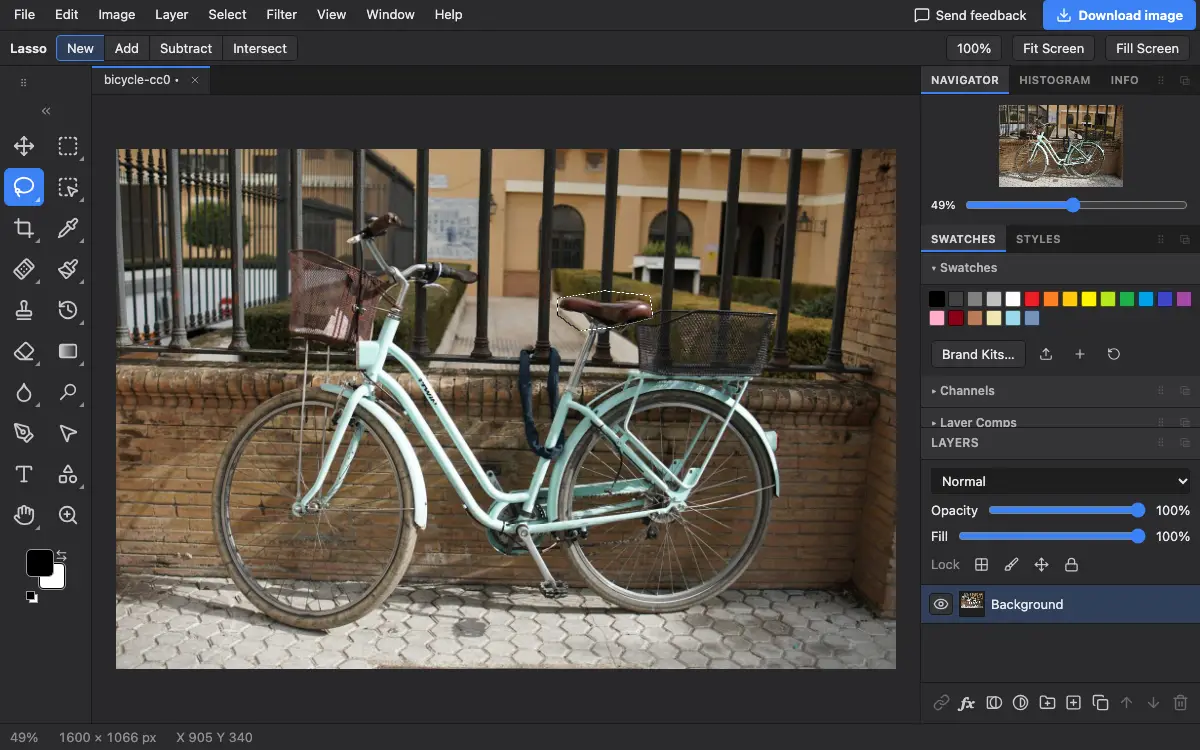
Options bar settings
Tips and common mistakes
- Zoom in before you trace a detailed edge; the outline follows the pointer more closely on screen than you can see at a small zoom.
- For straight edges, the Polygonal Lasso is easier. For edges with clear contrast, try the Magnetic Lasso or Quick Selection.
Related
Photostar is a free online Photoshop alternative that runs in your browser. There is no account to make, and your files stay on your device.
Checked in the current editor.