

Open a GIMP XCF file without GIMP
XCF is the project format that GIMP saves. If someone sends you one and you do not have GIMP, Photostar can open it in your browser with the layers kept apart.
Photostar is a free online Photoshop alternative that runs in your browser. There is no account to make, and your files stay on your device.
Open an XCF fileOpens the free editor. Nothing is uploaded.How to do it
- Open the file. Use the button above or drop the .xcf onto Photostar. Compressed .xcf.gz files open the same way.
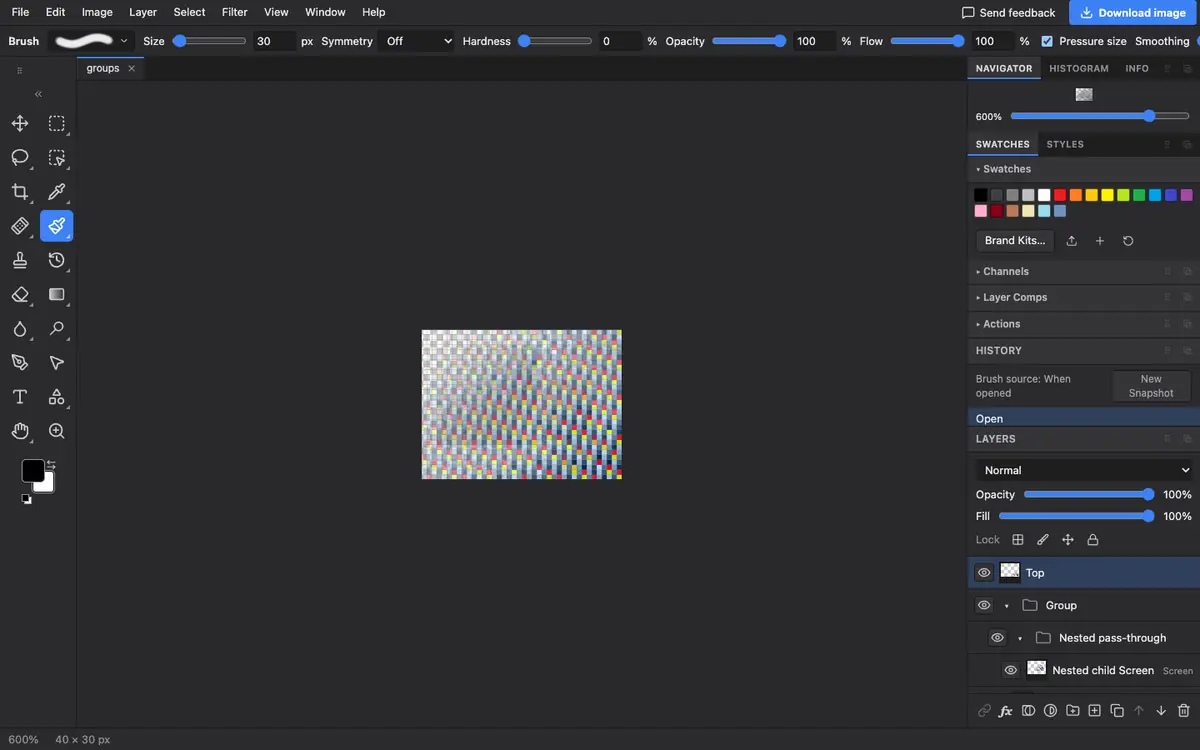
- Check the layers. Each GIMP layer becomes a layer here, with its name, opacity, blend mode and mask. Layer groups keep their nesting.
- Read any notes. If a layer used a GIMP blend mode with no match in Photostar, it opens as Normal and the editor tells you which one.
- Export or save. Use File → Export As for a PNG or JPEG, or File → Save as PSD to hand the layers to someone using a different editor.
What is supported
What works
- Pixel layers at any position and size
- Nested groups, including pass-through groups
- Layer masks, opacity, visibility and most blend modes
- 8-bit files, and higher precision files as 16-bit
Limits
- Text layers open as pixels, so you cannot retype them
- Paths and vector layers open as pixels
- Blend modes that only GIMP has open as Normal, with a note
Questions
How can I open an XCF file without GIMP?
Open it in Photostar, a free browser editor. It reads XCF files on your device and shows each layer separately.
Can I convert XCF to PSD?
Yes. Open the XCF in Photostar and choose File → Save as PSD. Layers, groups and masks are carried over.
Can I convert XCF to PNG or JPG?
Yes. Open it and choose File → Export As, then pick PNG or JPEG. Only the visible layers are included.
Is GIMP text still editable?
No. Text layers from GIMP open as pixels, so they look right but you would need to add new text to change the words.
Related
Reviewed , with a real file of this kind in the current editor.