

Open TIFF files online
Scanners, cameras and print workflows save TIFF files, but web browsers cannot show them. Photostar reads TIFF itself, including 16-bit images and TIFFs saved with Photoshop layers.
Photostar is a free online Photoshop alternative that runs in your browser. There is no account to make, and your files stay on your device.
Open a TIFF fileOpens the free editor. Nothing is uploaded.How to do it
- Open the TIFF. Use the button above or drop the .tif or .tiff file onto Photostar.
- Check what opened. The image size and bit depth show at the bottom. A layered TIFF lists its layers in the Layers panel.
- Edit if needed. Crop a scan, straighten it, or fix the levels. A 16-bit file stays 16-bit while you edit.
- Save as JPG or PNG. Choose File → Export As. PNG and TIFF can be saved at 16 bits per channel; JPEG is 8-bit.
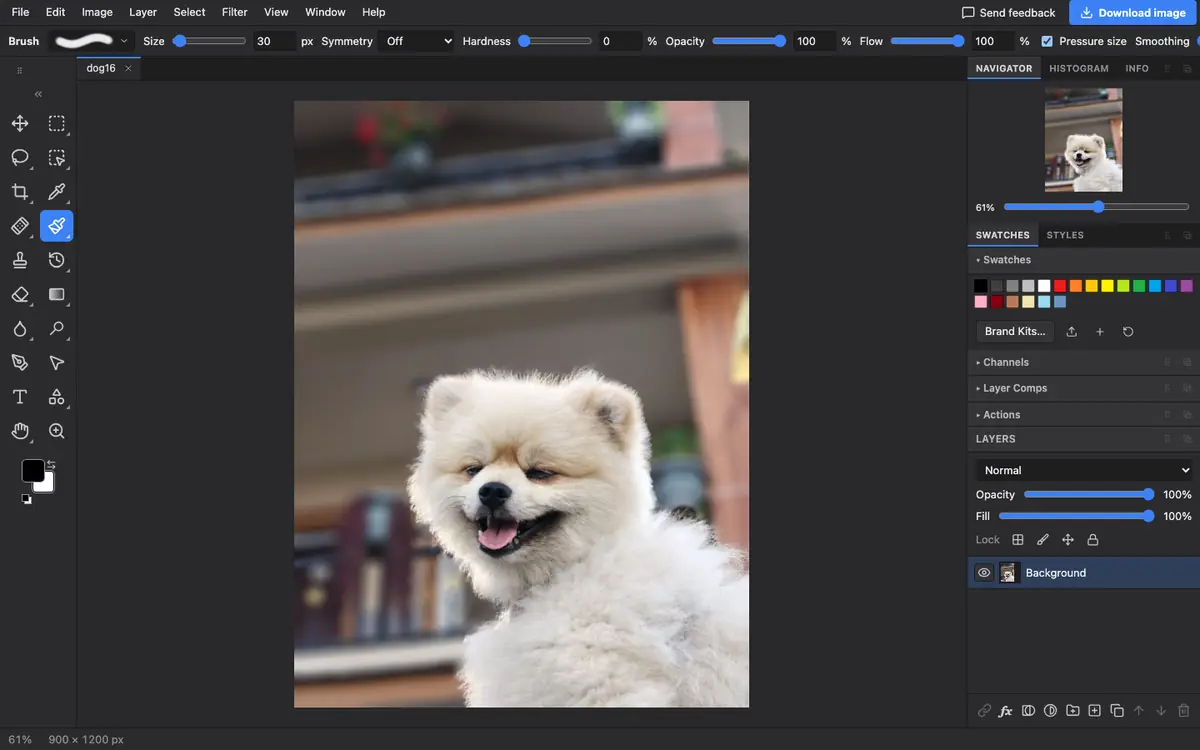
What is supported
What works
- 8-bit and 16-bit RGB, greyscale and palette TIFFs, with or without transparency
- Uncompressed, LZW, PackBits and Deflate (ZIP) compression, in strips or tiles
- Layered TIFFs saved from Photoshop
- Saving TIFF, including 16-bit and layered TIFF
Limits
- Only the first image in a multi-page TIFF opens
- CMYK TIFFs are converted without their colour profile, so colours can shift
- Uncommon compressions, such as JPEG inside TIFF or fax compression, may not open; Photostar says so
Questions
How do I open a TIFF file online?
Open it in Photostar. It reads TIFF in your browser, so the file is not uploaded, and you can view, edit or convert it.
How do I convert TIFF to JPG?
Open the TIFF, choose File → Export As, pick JPEG and click Export. Use quality 90 or above for scans you want to keep.
Can I open a multi-page TIFF?
Only the first page opens. For a multi-page document, a PDF viewer or the scanner software is a better fit.
Does it keep 16-bit detail?
Yes. 16-bit TIFFs open and edit at 16 bits, and you can save 16-bit PNG or TIFF.
Related
Reviewed , with a real file of this kind in the current editor.