

Convert SVG to PNG
Many places that take a logo or icon, from social sites to office documents, want a PNG rather than an SVG. Photostar opens the SVG, keeps its shapes as layers you can still change, and saves a PNG with a transparent background.
Photostar is a free online Photoshop alternative that runs in your browser. There is no account to make, and your files stay on your device.
Open an SVG fileOpens the free editor. Nothing is uploaded.How to do it
- Open the SVG. Use the button above, or drop the .svg file onto Photostar.
- Change anything you need. Shapes open as shape layers and groups as layer groups, so you can recolour or hide parts before exporting.
- Set the size. For a bigger PNG, choose Image → Image Size first, or type a width in the export dialog.
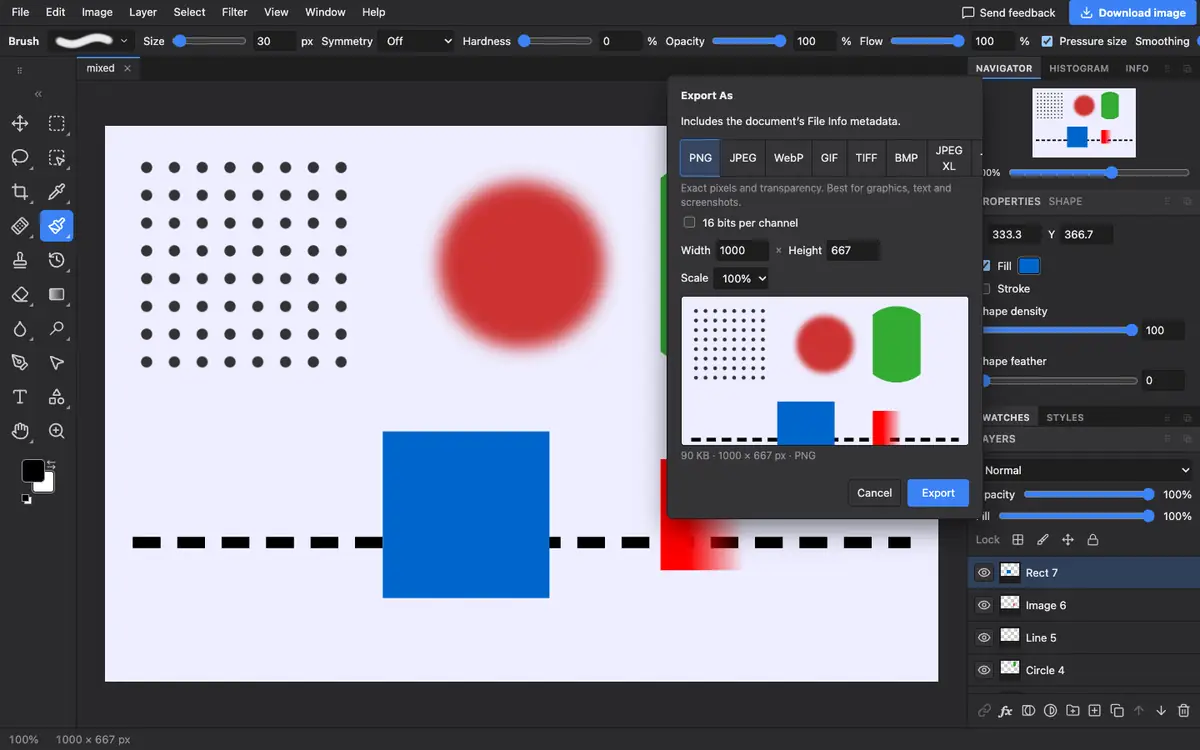
- Export as PNG. Choose File → Export As, pick PNG and click Export. Areas with nothing drawn stay transparent.
What is supported
What works
- Rectangles, circles, paths, lines and groups as editable layers
- Simple one-line text as a type layer
- Gradients, as a gradient overlay
- Transparent backgrounds in PNG
Limits
- Embedded pictures, patterns and filters open as pixel layers
- Text on a path or across several lines opens as pixels
- Very complex SVGs with CSS animation or scripts open as a still picture
Questions
How do I convert SVG to PNG?
Open the SVG in Photostar, choose File → Export As, pick PNG and click Export. The background stays transparent.
How do I make a high-resolution PNG from an SVG?
Choose Image → Image Size and set a larger size before exporting, or type the width you need in the export dialog.
Can I edit the SVG colours first?
Yes. Shapes open as shape layers, so you can change their fill colour before saving the PNG.
Can I save as SVG again?
Yes, File has an SVG export. Some content becomes pixels, so keep the original too.
Related
Reviewed , with a real file of this kind in the current editor.