

Open Radiance HDR files online
Radiance .hdr files, often used for HDRI environment maps in 3D work, cannot be shown by a browser. Photostar opens them so you can check the picture and save a JPG or PNG preview.
Photostar is a free online Photoshop alternative that runs in your browser. There is no account to make, and your files stay on your device.
Open an HDR fileOpens the free editor. Nothing is uploaded.How to do it
- Open the .hdr file. Use the button above, or drop the file onto Photostar.
- Check the picture. The image is shown in normal screen colours. Anything brighter than white, such as the sun, shows as plain white.
- Save a preview. Choose File → Export As and pick JPEG or PNG, at full size or smaller for a thumbnail.
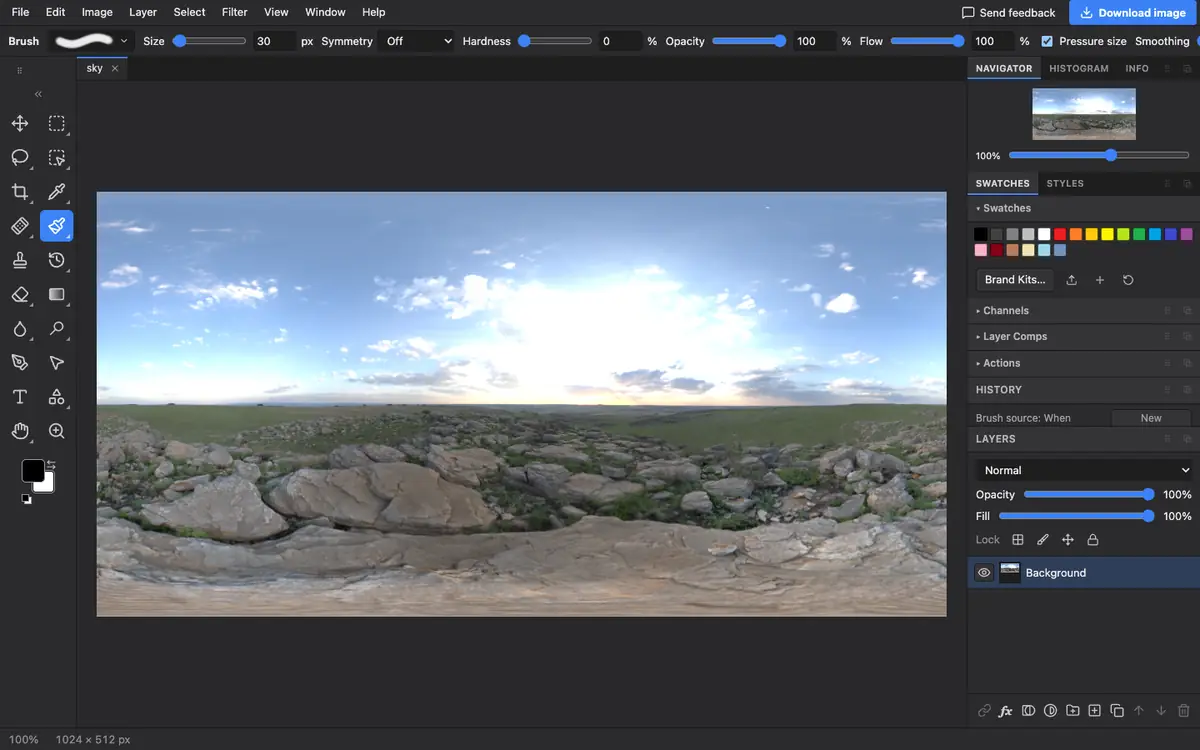
What is supported
What works
- Radiance RGBE files, flat or run-length compressed
- Panoramas and HDRI maps of any size your device can hold
- Saving JPEG, PNG and also .hdr
Limits
- Values above white are clipped, so very bright areas lose detail; this is a viewer and converter, not an HDR grading tool
- XYZE Radiance files are not supported
- OpenEXR files with PIZ or DWA compression are not supported
Questions
How do I open an .hdr file?
Open it in Photostar in your browser. It reads Radiance HDR files on your device and shows them in normal screen colours.
How do I convert HDR to JPG?
Open the .hdr file in Photostar, choose File → Export As, pick JPEG and click Export.
Why is the sun pure white?
Screens and JPEG files cannot show brightness above white, so Photostar clips those values. The rest of the image keeps its detail.
Does it open EXR files too?
Only some. Uncompressed, RLE and ZIP EXR files open, but PIZ and DWA compressed ones, which are common, do not yet.
Related
Reviewed , with a real file of this kind in the current editor.