

How to use the Mixer Brush tool
The Mixer Brush paints like real wet paint: the colour on the brush mixes with the colours already on the canvas as you drag.
Where to find it
It is in the toolbar, in one slot with Brush and Pencil. Right-click the slot, or press and hold it, to choose between them. Press Shift+B until it is selected (B on its own picks Brush).
How to use it
- Choose the tool. Press Shift+B until it is selected, or right-click the brush slot and pick Mixer Brush.
- Pick a mix. Choose a preset in Mix, such as Wet, or set the sliders yourself.
- Paint. Drag over the picture. Strokes pick up and smear the colours under them and fade as the paint runs out.
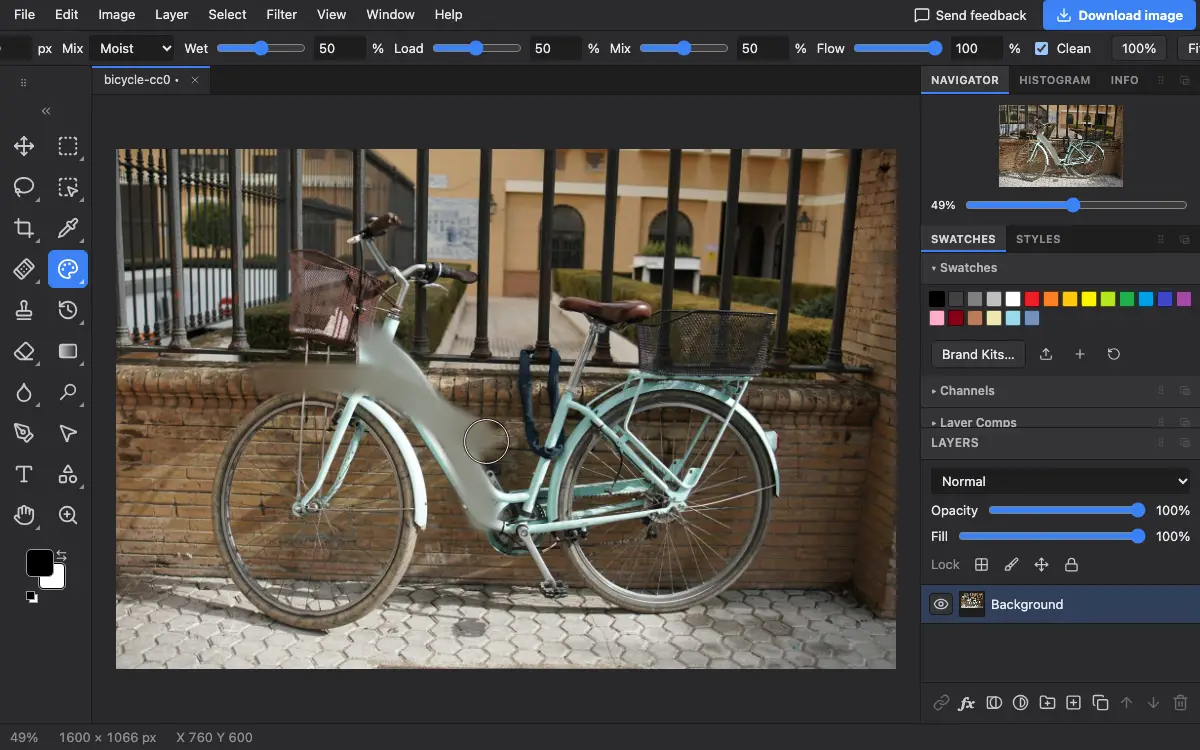
Options bar settings
Tips and common mistakes
- Turn on Clean and use a soft wet mix to turn a photo into a painted look stroke by stroke.
- Work on a copy of the layer so you can lower its opacity or undo parts later.
Related
Photostar is a free online Photoshop alternative that runs in your browser. There is no account to make, and your files stay on your device.
Checked in the current editor.