

Add a white background to a photo
Shops and marketplaces often want products on plain white, and so do many ID and profile photos. Photostar finds the subject, removes what is behind it and puts white there instead, all in your browser.
Photostar is a free online Photoshop alternative that runs in your browser. There is no account to make, and your files stay on your device.
Choose a photoOpens the free editor. Nothing is uploaded.How to do it
- Start Change background. Click the button above. On the start screen, click the highlighted Change background card.
- Pick your photo. Choose the photo. Photostar cuts out the subject on your device; the first time, this can take a few seconds.
- Choose White. In the Change background window, click the white swatch. The preview shows the result.
- Add it and save. Click Add background, then Download image. JPEG suits marketplaces; PNG keeps the most detail.
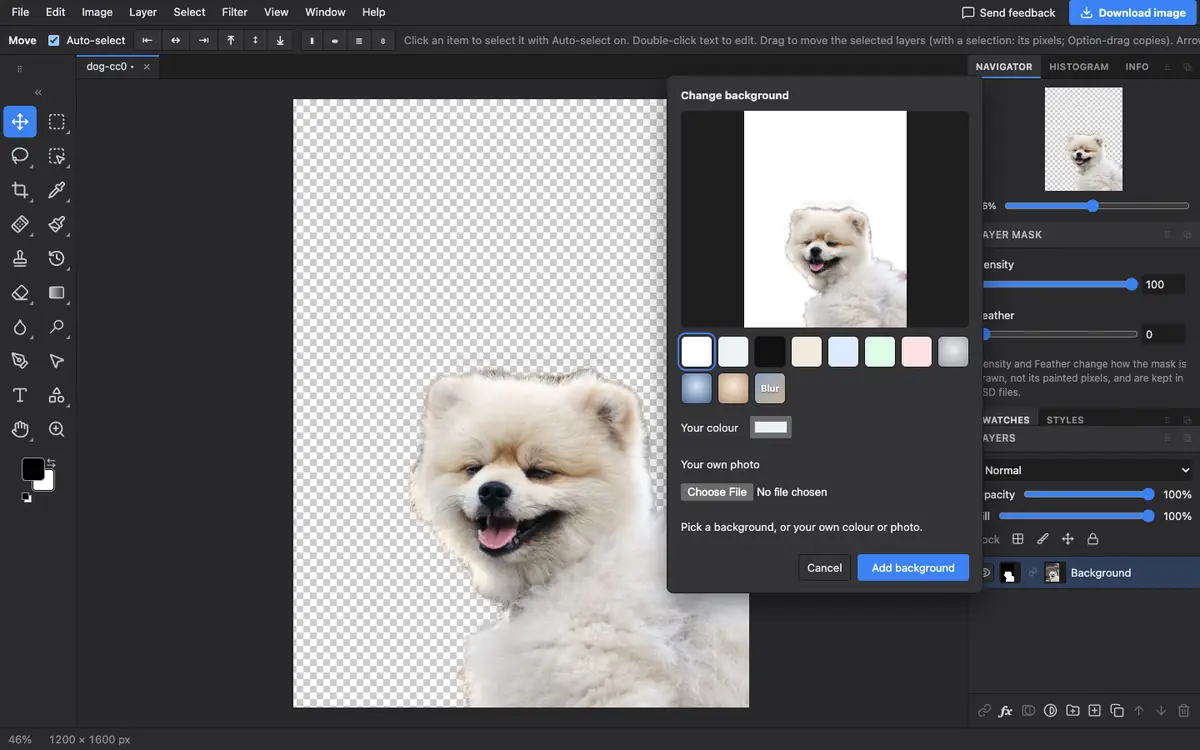
When the edge is not quite right
The subject keeps a layer mask, so you can fix any edge. Paint on the mask with black to hide more and white to bring parts back, as described in the background removal guide. Hair and fur against a busy background are the hardest cases.
Questions
How do I make a photo background white for free?
Open Photostar, click Change background, choose your photo and pick White, then download the result.
Is my photo uploaded to remove the background?
No. The cutout runs in your browser on your device.
Can I use a light grey instead of white?
Yes. The same window has light grey, black, soft colours, studio backdrops and your own colour.
Can I get a transparent background instead?
Yes. Use Remove background on the start screen and save a PNG. See the transparent PNG guide.
Related
Reviewed , with a real photo in the current editor.