

PNG to SVG: when to convert, and how to get it right
By the Photostar team · Published
Short answer: convert a PNG to SVG when the picture is flat artwork with clear edges: a logo, an icon, a signature, line art or a design for a cutting machine. A tracer such as SuperSVG turns the pixels into real vector paths, so the file stays sharp at any size and is usually far smaller. Leave photos as PNG, JPEG or WebP. Tracing a photo makes a bigger, blotchier file.
We make Photostar, and SuperSVG is our sister site, built by the same small team. Every number on this page comes from files we made and converted ourselves on 9 November 2026, so you can repeat the test.
Most advice about PNG and SVG stops at “SVG is a vector, so it scales.” True, but it doesn’t tell you whether your file should be converted, or what happens when you do. So we ran the test. We drew a simple coffee shop logo, saved it as PNGs at five sizes, traced the PNGs, then tried the same thing on a photo of a Highland cow. The logo traced beautifully. The cow? Not so much.
Photostar is a free online Photoshop alternative that runs in your browser. It edits PNGs but doesn’t trace them, which is why this article points you to SuperSVG for that step and shows where each tool fits.
What is the difference between PNG and SVG?
A PNG is a grid of coloured squares. A 512 × 512 logo is 262,144 pixels, and each one stores its own colour. Scale it up and the computer has no new detail to draw, because that data doesn’t exist, so it blows up the squares and you get soft, blocky edges.
An SVG is a set of instructions: start here, curve to there, fill it teal. The browser draws those shapes fresh at whatever size you ask for, so a curve is as smooth on a 4K monitor as it is on a phone. SVG is also plain text, so you can open it in a text editor and read it.
| PNG | SVG | |
|---|---|---|
| Made of | Pixels | Paths, shapes and text |
| Enlarging | Gets soft or blocky | Stays sharp |
| Best for | Photos, screenshots, textures | Logos, icons, illustrations, cut files |
| Transparency | Yes | Yes |
| Change a colour later | Needs an editor and careful selection | Edit one value |
| Works on websites | Everywhere | Every modern browser |
What happened when we converted a real logo
Our test logo is a coffee cup in a ring: three colours and nine flat shapes once you count the ring, the hole in the handle and each line of steam. Nothing fancy. We drew it as a vector (596 bytes of SVG), then saved PNGs at 128, 256, 512, 1024 and 2048 pixels wide. Then we dropped the 1024 px PNG into SuperSVG’s logo to SVG converter on its automatic setting.
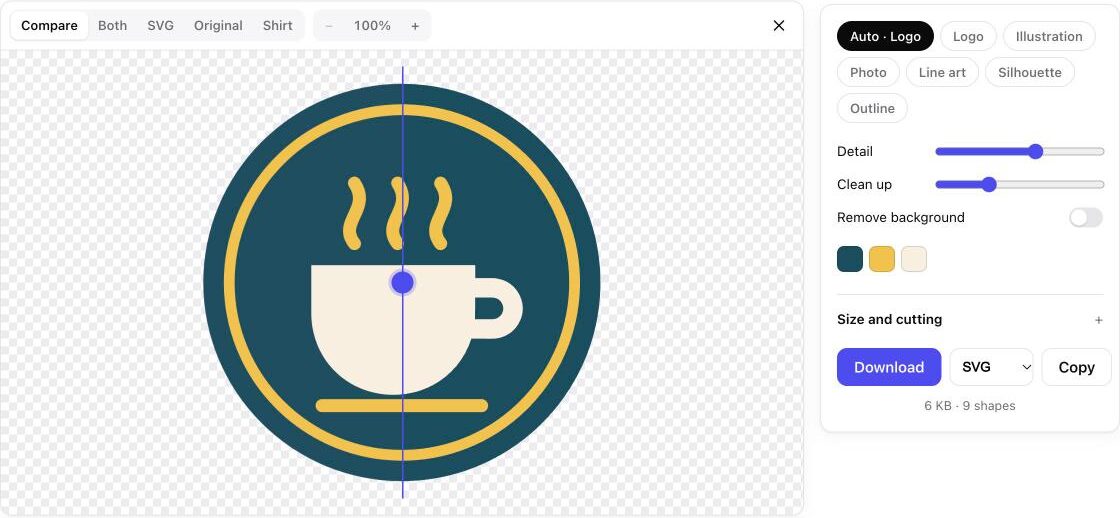
It found all nine shapes and the three colours, and wrote a 5.8 KB SVG. That’s about a twelfth of the 72 KB PNG it came from. The real win shows up when you zoom in:
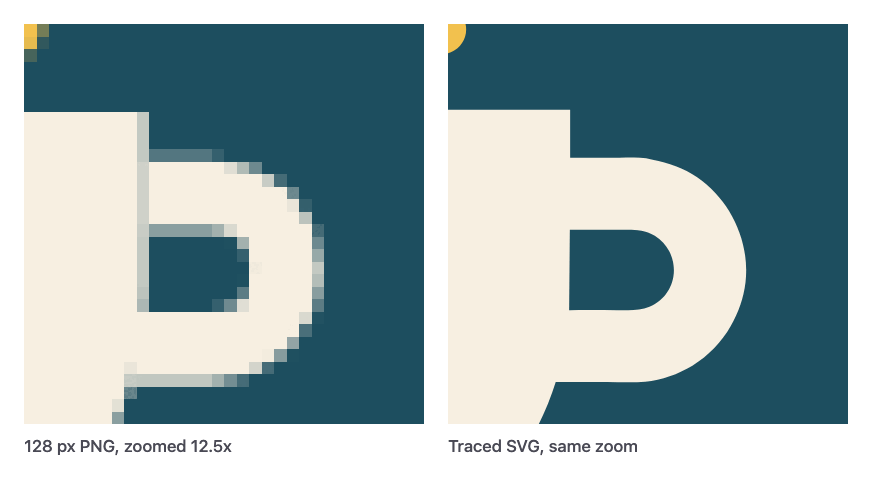
And here is how the file sizes compare. Every PNG doubles the width of the one before and roughly doubles its size. The SVG stays the same whatever size you show it at.
| File | Size |
|---|---|
| PNG, 128 × 128 | 8,026 bytes |
| PNG, 256 × 256 | 16,335 bytes |
| PNG, 512 × 512 | 34,533 bytes |
| PNG, 1024 × 1024 | 71,849 bytes |
| PNG, 2048 × 2048 | 157,327 bytes |
| SVG traced from the 1024 px PNG (9 paths) | 5,831 bytes |
| SVG drawn by hand (6 elements) | 596 bytes |
Notice the hand-drawn SVG is ten times smaller again. A tracer has to describe each edge with lots of points, while a person drawing it uses one circle. If you still have the original vector file from whoever designed your logo, use that. Tracing is for when the PNG is all you’ve got, which in our experience is most of the time.
The benefits of SVG, in practice
One file for every size. A website logo used to need a 1× PNG, a 2× PNG for sharper screens, a favicon and a print version. One SVG covers all of them, and it’s just as sharp on a shop sign as in a browser tab.
Smaller files for flat artwork. As the chart shows, a logo SVG can be a tenth of the PNG or less. Smaller files load faster, and on a site with a logo, a few icons and an illustration that adds up.
Colours you can change in seconds. Open an SVG in any text editor and you’ll see lines like fill="#1d4e5f". Change that value and the colour changes everywhere it’s used. In a PNG, recolouring means selecting pixels and fixing the soft edges by hand.
It can follow light and dark mode. An SVG placed in the page can use the page’s colours. The diagrams in this article do exactly that: switch the theme with the button at the top and watch the text and bars change. A PNG can’t do that.
Cutting machines need it. Cricut, Silhouette, laser cutters and vinyl plotters follow paths, not pixels. If you want to cut a design, it has to be a vector first, and each colour should be its own shape. SuperSVG has a mode set up for cut files, with sizes in inches and registration marks.
When you shouldn’t convert PNG to SVG
Photos. We feel strongly about this one, because a converter will happily do it and the result looks clever for about three seconds.
We traced a 1920 × 1280 photo of a Highland cow, a 286 KB JPEG. SuperSVG’s Photo style turned it into 4,531 shapes and a 6.6 MB SVG: 23 times bigger than the JPEG, and it looks like a poster print rather than a photo. The fur, the soft sky and the grain of the sand all get flattened into splodges of colour.
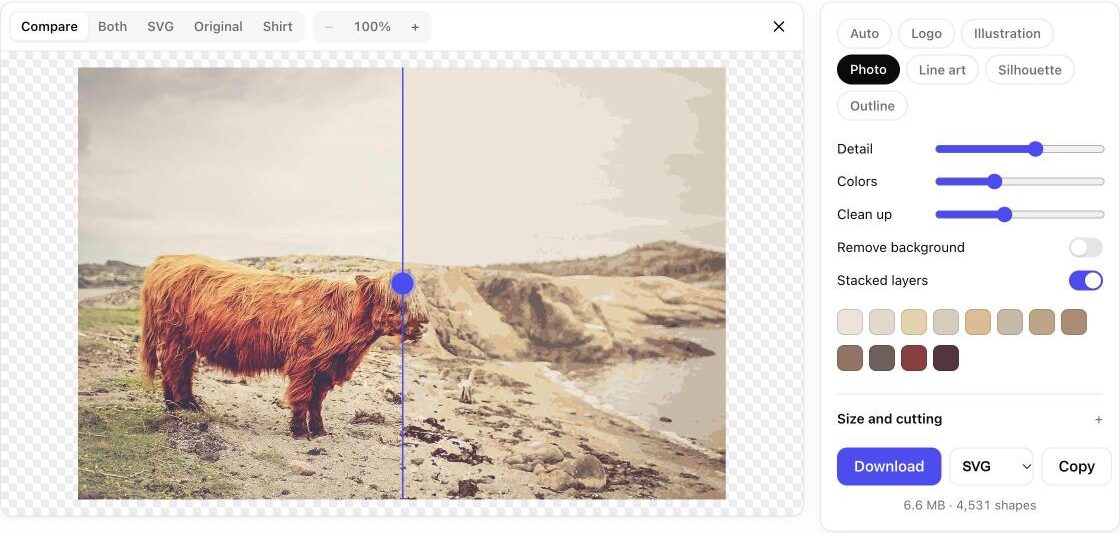
The rule we use: if the picture has smooth gradients, texture or photographic detail, keep it as pixels. Use JPEG or WebP for photos and PNG for screenshots and anything with transparency. Convert to SVG only when the shapes are the point.
How to convert PNG to SVG
This takes about a minute with a free tracer. We use SuperSVG because it runs in your browser, so the image is never uploaded, and it has no signup or watermark. The steps are much the same in other tracers.
- Start with the biggest, cleanest PNG you have. More pixels give the tracer more to work with (more on this below).
- Remove the background if you don’t want it. A transparent PNG traces into an SVG with a transparent background. SuperSVG can also drop a solid background or any single colour after tracing.
- Open the converter and drop the file in. On supersvg.app you can drag it onto the page, paste it or pick it from your device. It works with JPG and WebP files too.
- Pick a style. Auto worked for our logo. If edges look lumpy, try Logo, Line art or Illustration and compare.
- Check the shape count and the colours. Our logo should have had 9 shapes and 3 colours, and it did. Lots of tiny extra shapes usually mean noise in the source.
- Download the SVG. SuperSVG also saves PDF, EPS, DXF and PNG if a printer or cutting program asks for one of those.
The mistake that ruins most conversions: a small source
To see how much the source matters, we traced our 128 px PNG as well. Same logo, same settings. This time the tracer had only a few pixels across each steam line to work with, and it shows: the steam lines came out wobbly and it picked up a fourth colour from the blurry edges. The file grew to 41 KB with 38 shapes, seven times bigger than the trace from the 1024 px copy.
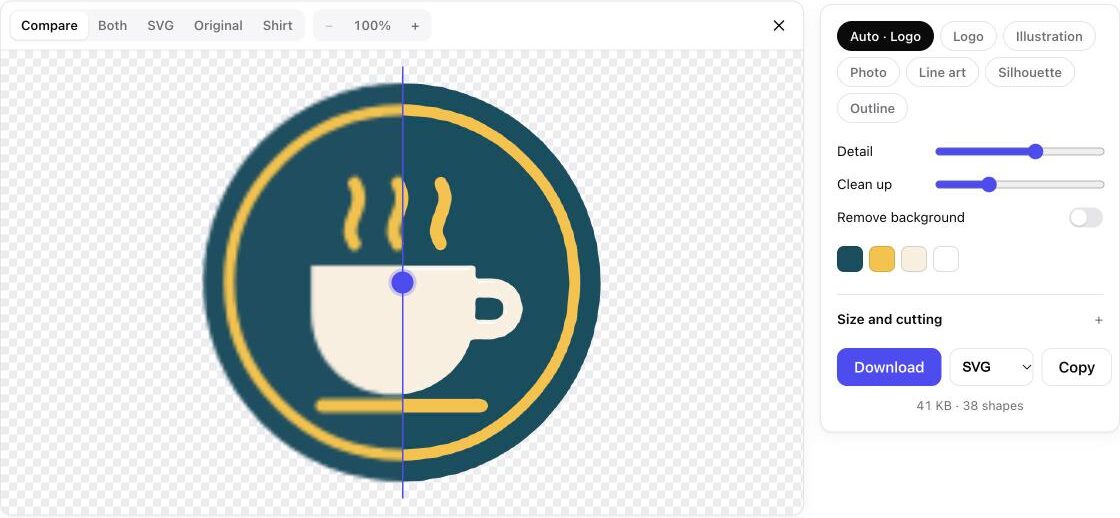
So if all you have is the postage stamp version you right-clicked and saved from your own website, find something better first: an email signature, a PDF, the file from when your business cards were printed. Enlarging the small PNG doesn’t add detail that isn’t there.
“Save as SVG” is not the same as converting
This one trips a lot of people up. Many apps, and some online “converters”, will give you a file ending in .svg that is just your PNG wrapped inside. It still has pixels, it still goes blurry, and a cutting machine can’t use it.
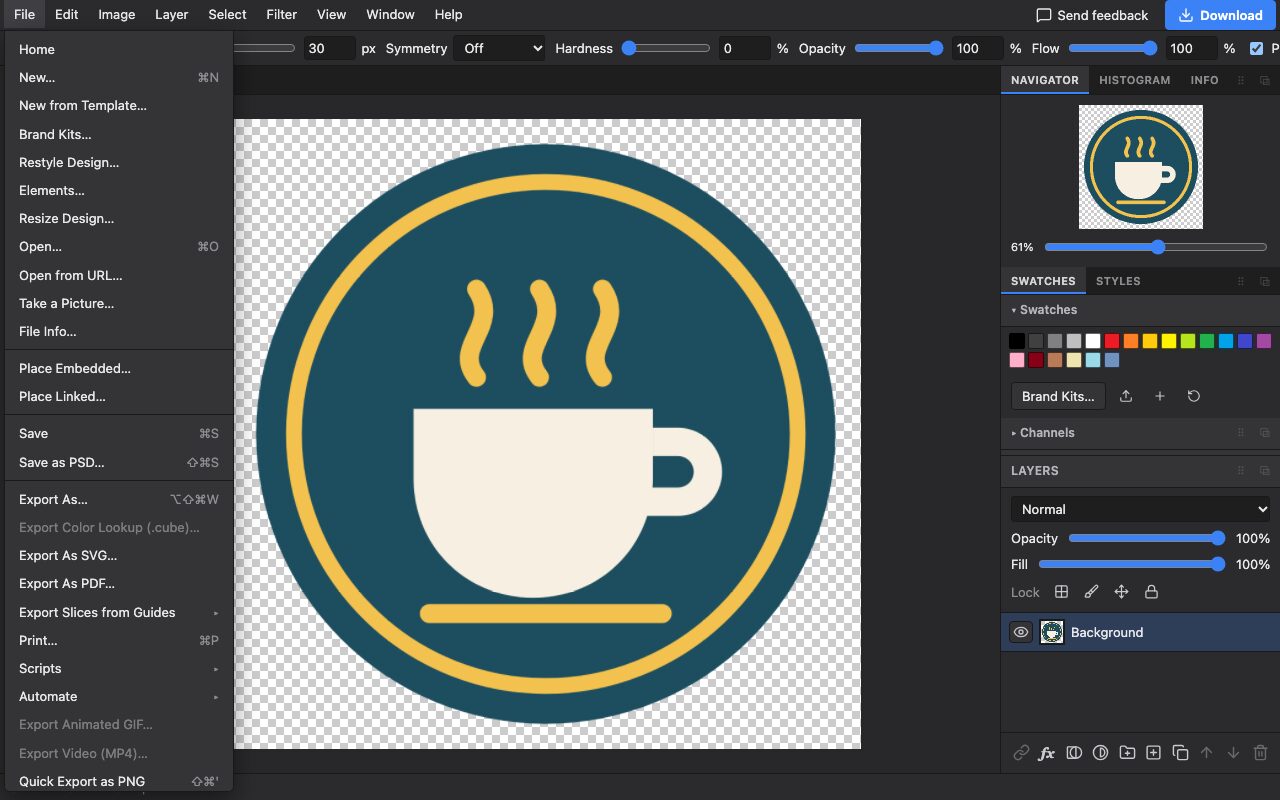
Photostar’s own File › Export As SVG is honest about what it does: shape layers stay as vector shapes and simple text stays as text, but photo and pixel layers are stored inside the SVG as pictures. That’s the right behaviour for a layered design, but it is not tracing.
To check whether any SVG is a real vector, open it in a text editor. Lots of <path d="M…"> lines mean real shapes. A single <image href="data:image/png;base64,…"> with a wall of random letters means it’s just a PNG pretending to be an SVG.
Where Photostar fits
We use the two tools together. Photostar handles the pixel work before tracing: remove a background, crop to the logo, paint out a stray mark or export a transparent PNG. SuperSVG then turns that clean PNG into paths. The cleaner the PNG, the fewer shapes the tracer has to guess at.
It also works the other way. Photostar opens SVG files, with shapes as editable shape layers and simple text as type, so you can drop your new vector logo onto a photo, a flyer or a social post and export the finished design. The supported files page has the details.
Frequently asked questions
Can I convert PNG to SVG for free?
Yes. SuperSVG converts PNG, JPG and WebP to SVG for free in your browser, with no signup, no watermark and no upload.
Does converting PNG to SVG improve quality?
It makes edges sharp at any size, but it cannot add detail the PNG never had. Start from the largest, cleanest copy you have, because a tiny or blurry PNG traces into lumpy shapes.
Is an SVG smaller than a PNG?
For logos and icons, usually yes. Our test logo was 72 KB as a 1024 px PNG and 5.8 KB as a traced SVG. For photos it is the opposite: a 286 KB photo became a 6.6 MB SVG.
Can I convert a photo to SVG?
You can, but it turns into thousands of flat colour shapes with a poster look, and the file gets much bigger. Keep photos as JPEG, WebP or PNG unless you want that effect.
How do I know if an SVG is a real vector?
Open it in a text editor. Real vectors are made of path, circle and rect elements. If you see one image element with a long base64 string, it is a PNG inside an SVG file.
Can Photostar convert PNG to SVG?
Photostar’s Export As SVG keeps shape and text layers as vectors but stores pixel layers as pictures, so it does not trace a PNG. Use SuperSVG to trace it, then open the SVG in Photostar to use it in a design.
SuperSVG and Photostar are run by the same team. Photoshop is a trademark of Adobe. Photostar is not affiliated with or endorsed by Adobe, or by any other company named here. Other product names belong to their owners. The cow photo is by Elias Carlsson, used under the Unsplash licence.